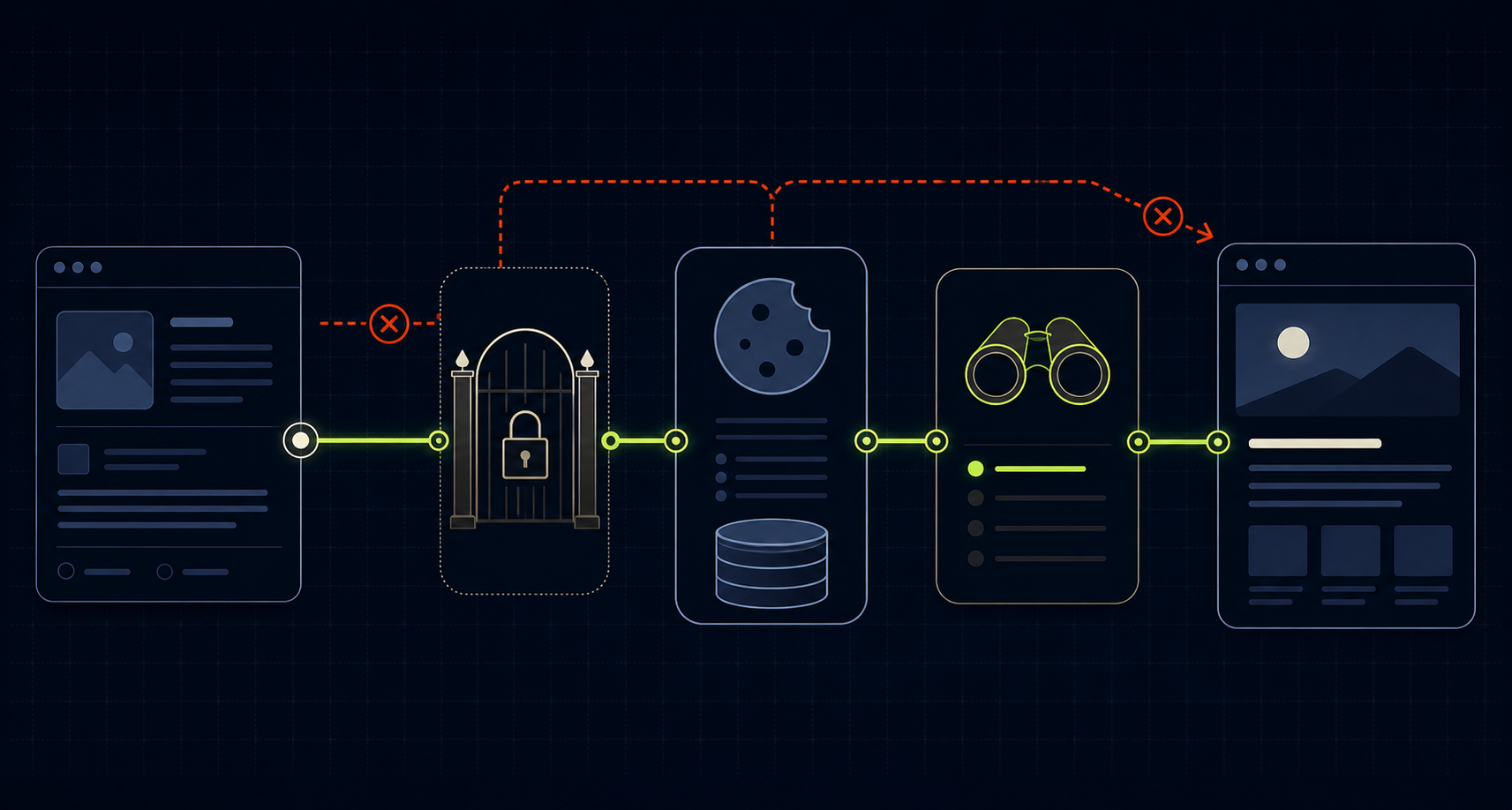
Sanity Studio shows an unpublished edit, but the embedded Next.js preview still renders the published document. Sometimes the preview route returns 404. Sometimes Draft Mode reports enabled while the content never changes. Sometimes everything works locally and fails after deployment. These symptoms look similar, but they belong to different contracts in the preview pipeline.
A working preview requires the Studio to reach the correct enable route, the route to validate the request, the browser to retain the Draft Mode cookie, the server fetch to use authenticated draft content without the CDN, and the page to render stega-encoded values only where visual editing needs them. Test those contracts in order and the failure usually becomes obvious.
Draft Mode is a chain, not a switch
Next.js Draft Mode only changes application behavior after its enable route sets a cookie for the current browser session. It does not automatically make a normal Sanity client return drafts. Your data layer must observe the session and switch from the published perspective to authenticated draft or release content.
First prove that the enable route ran, then prove the cookie persisted, then prove the fetch returned the draft. Each result eliminates an entire class of causes.
Start with the supported App Router wiring
For current next-sanity projects, defineLive is the main integration point. It coordinates perspective switching, stega encoding, caching, and live updates. Keep the implementation aligned with the versions you actually install; current Sanity guidance targets Next.js 16 and next-sanity 12.1.1 or later.
NEXT_PUBLIC_SANITY_PROJECT_ID=YOUR_PROJECT_ID
NEXT_PUBLIC_SANITY_DATASET=production
NEXT_PUBLIC_SANITY_STUDIO_URL=https://YOUR_STUDIO_URL
SANITY_API_READ_TOKEN=YOUR_VIEWER_TOKENNever name the token NEXT_PUBLIC_SANITY_API_READ_TOKEN. Draft content is private, and a public environment-variable prefix can expose credentials to the browser bundle.
import {createClient} from 'next-sanity'

export const client = createClient({
  projectId: process.env.NEXT_PUBLIC_SANITY_PROJECT_ID!,
  dataset: process.env.NEXT_PUBLIC_SANITY_DATASET!,
  apiVersion: '2026-02-01',
  useCdn: true,
  stega: {studioUrl: process.env.NEXT_PUBLIC_SANITY_STUDIO_URL},
})import {defineLive} from 'next-sanity/live'
import {client} from './client'
export const {sanityFetch, SanityLive} = defineLive({
client: client.withConfig({apiVersion: '2026-02-01'}),
serverToken: process.env.SANITY_API_READ_TOKEN,
browserToken: process.env.SANITY_API_READ_TOKEN,
})The browser token is shared only during Draft Mode for live subscriptions and should have Viewer permissions. The server token lets server-side queries read drafts. Use the smallest token configuration your preview requires.
Run the five-minute isolation test
1. Open the enable route directly
The Presentation Tool path must match a real App Router route exactly. If Studio calls /api/draft-mode/enable while the application implements /api/draft/enable, the preview can never activate. A 404 here is routing, not Sanity caching.
import {defineEnableDraftMode} from 'next-sanity/draft-mode'
import {client} from '@/sanity/lib/client'

export const {GET} = defineEnableDraftMode({
  client: client.withConfig({
    token: process.env.SANITY_API_READ_TOKEN || '',
  }),
})
2. Confirm the browser received the cookie
After the enable request, inspect browser storage for the Next.js Draft Mode cookie and the Sanity preview perspective cookie. Reload the exact preview URL and confirm the cookies are sent. In iframe contexts, SameSite and Secure behavior can make a browser silently reject a cookie even when the endpoint returned successfully.
3. Prove Next.js sees Draft Mode
import {draftMode} from 'next/headers'

const {isEnabled} = await draftMode()
console.log({draftMode: isEnabled})
If this is false, stay focused on the route, redirect, hostname, HTTPS, and cookie. If it is true, stop debugging activation and move to the Sanity fetch.
4. Compare a published fetch with a draft fetch
The drafts perspective requires authentication and bypasses the CDN. A client that remains on perspective: published correctly hides unpublished edits even when Next.js Draft Mode is enabled. Draft queries are not served by the API CDN, so the preview client must use perspective: drafts, a server-side Viewer token, and useCdn: false together.
const previewClient = client.withConfig({
  token: process.env.SANITY_API_READ_TOKEN,
  perspective: 'drafts',
  useCdn: false,
  stega: true,
})
5. Verify the page uses the preview-aware fetch
A correct enable route cannot affect a page that still calls an unrelated client.fetch configured permanently for published content. Use sanityFetch in the rendered page path, or make your custom loader explicitly read Draft Mode and apply the requested perspective, token, CDN, and stega settings.
6. Keep the route slug separate from the draft document ID
The preview URL should normally use the same slug as the published route, and the GROQ query should compare slug.current with that exact route parameter. Sanity stores an unpublished variant under an internal ID such as drafts.<documentId>, but that prefix belongs to the document ID—not to the slug. With perspective: drafts, Sanity resolves the draft over the published variant while preserving the normal slug-based query.
*[_type == "post" && slug.current == $slug][0]{
  _id,
  title,
  slug,
  body
}A URL such as /posts/drafts.abc123 mixes two different identifiers. Use the document ID only when debugging raw documents or building document-to-URL mappings. For the rendered preview route, pass the normal slug and let the drafts perspective select the draft variant.
When the draft is correct but the page still looks wrong
A successful draft query proves that the data reached Next.js; it does not prove that every Portable Text value can be rendered. If plain fields such as the title update but the article body is missing, unstyled, or structurally wrong, inspect the Portable Text component map.
Current @portabletext/react versions call these renderers components. Older examples may call them serializers. Every custom object inserted into the Portable Text array—images, code blocks, callouts, embeds, or custom block styles—needs a matching renderer. The query must also return the fields that renderer expects.
import {PortableText, type PortableTextComponents} from '@portabletext/react'

const components: Partial<PortableTextComponents> = {
  block: {
    h2: ({children}) => <h2 className="article-heading">{children}</h2>,
    blockquote: ({children}) => <blockquote>{children}</blockquote>,
  },
  types: {
    codeBlock: ({value}) => (
      <pre><code>{value.code}</code></pre>
    ),
    image: ({value}) => <SanityImage value={value} />,
  },
  marks: {
    link: ({children, value}) => <a href={value?.href}>{children}</a>,
  },
}

export function ArticleBody({value}) {
  return <PortableText value={value} components={components} />
}
Log the body array once on the server and compare each _type and block style with the component map. If the data is present in that array but absent from the DOM, the problem is rendering rather than Draft Mode. Also check the surrounding CSS before changing the query: default Portable Text output is intentionally unstyled.
Seven failure patterns and what they mean
The enable route returns 401 or 403
The preview secret could not be validated. Confirm the deployed SANITY_API_READ_TOKEN exists, belongs to the same project and dataset, and has Viewer access. Also confirm the Studio generated a preview secret and that the route uses an authenticated client.
Draft Mode is enabled, but the page stays published
The data fetch is still using the published perspective, an unauthenticated client, or a code path that never observes Draft Mode. Test the query directly with perspective: drafts and useCdn: false. If that returns the edit, the content is fine and the application switch is broken.
Preview works locally but not on Vercel
Compare environment variables between local and production, then check Sanity CORS settings for the exact deployed frontend origin with credentials allowed. Confirm the Presentation Tool origin and allowOrigins configuration use the production HTTPS URL rather than localhost or an obsolete preview domain.
The cookie appears, then disappears
Check whether the enable route redirects across hostnames, such as from a Vercel preview URL to the custom domain. Cookies belong to hosts. Also inspect SameSite and Secure rules in the embedded iframe and make sure every production request uses HTTPS.
Draft text appears, but click-to-edit overlays do not
Draft fetching and visual editing are separate. Confirm the client has stega.studioUrl, the page renders stega-enabled strings, and VisualEditing is mounted only when Draft Mode is enabled. If overlays appear but clicks do nothing, the Studio URL or iframe communication contract is usually wrong.
import {draftMode} from 'next/headers'
import {VisualEditing} from 'next-sanity/visual-editing'
import {SanityLive} from '@/sanity/lib/live'

export default async function RootLayout({children}) {
  const {isEnabled} = await draftMode()
  return (
    <html><body>
      {children}
      <SanityLive />
      {isEnabled && <VisualEditing />}
    </body></html>
  )
}
Titles contain strange invisible characters
Stega belongs in visible preview content, not in metadata, route parameters, comparisons, or generated slugs. Fetch generateMetadata and generateStaticParams with stega disabled. Otherwise invisible source-map characters can corrupt titles, canonical URLs, or string equality checks.
const {data: post} = await sanityFetch({
  query: POST_QUERY,
  params: {slug},
  stega: false,
})
Draft content loads once but does not update live
Activation and live subscriptions are different stages. Confirm SanityLive is mounted, the browser token is available in Draft Mode, and the installed next-sanity version matches the current Next.js caching model. If basic preview works, debug subscriptions separately rather than changing the perspective again.
Use a disable route while debugging
A stale Draft Mode cookie can make ordinary browsing behave like preview and confuse later tests. Add an explicit disable route, exit preview, and reproduce activation from a known published session.
import {draftMode} from 'next/headers'
import {NextResponse} from 'next/server'

export async function GET() {
  ;(await draftMode()).disable()
  return NextResponse.redirect(new URL('/', process.env.NEXT_PUBLIC_SITE_URL!))
}
The verification sequence
Start in a normal browser session and confirm published content. Create an unpublished edit. Open the Presentation Tool and watch the enable request return successfully. Verify the cookies persist on the frontend hostname. Confirm draftMode().isEnabled on the server. Run the exact query with authenticated drafts and no CDN. Confirm the page uses the preview-aware fetch. Only then test overlays and live updates.
Route, cookie, server state, Sanity perspective, rendered value, overlay, and live subscription should each be testable independently. Once those boundaries are visible, Draft Mode stops feeling mysterious.