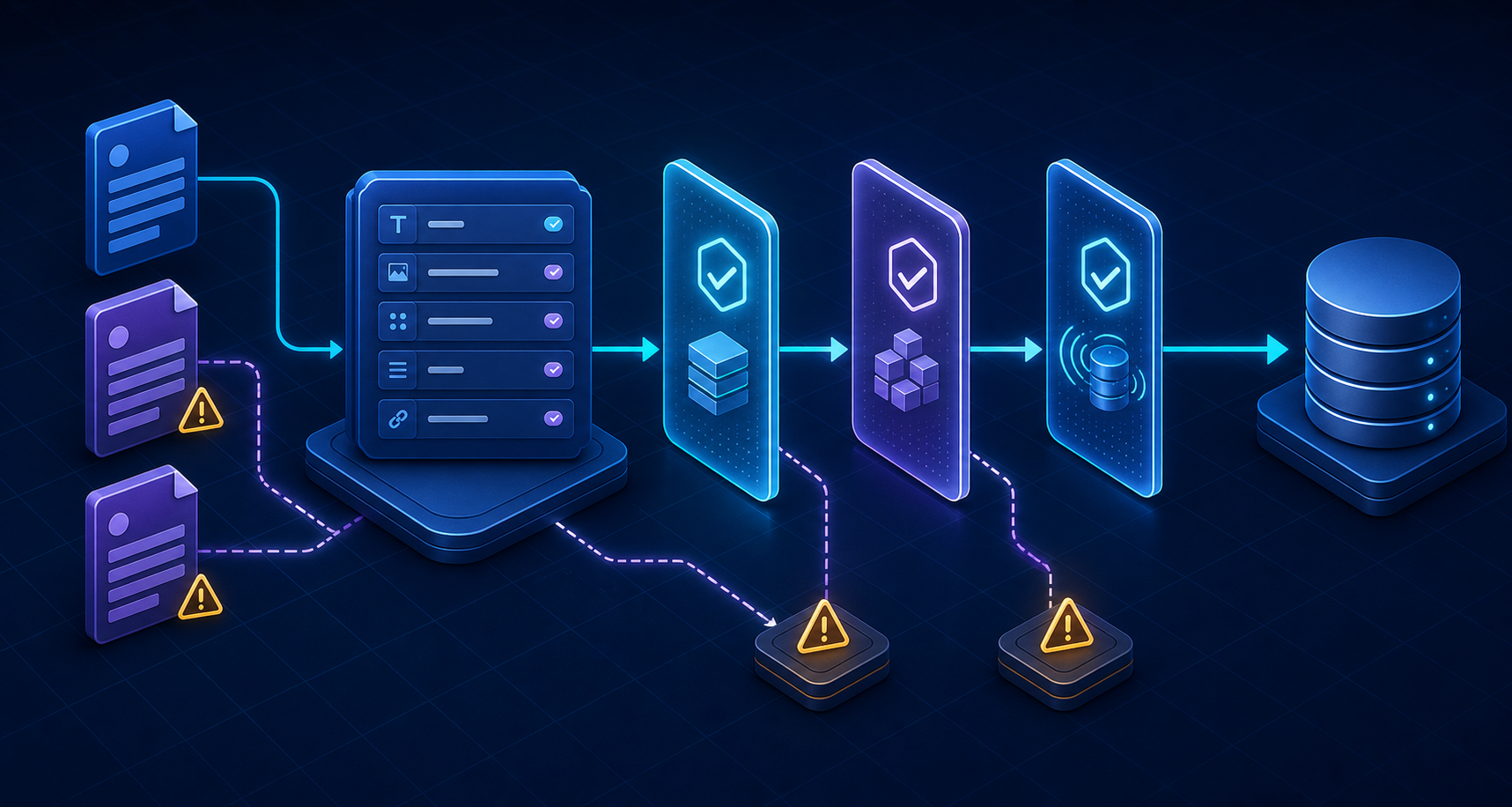
Sanity validation looks simple until the rule depends on more than one value. Requiring a title or limiting a string is straightforward. The difficult cases begin when a field depends on a sibling, an array must be unique by one nested property, a reference needs to be resolved, or a key must be unique across the entire dataset.
I ran into that boundary while hardening a form platform whose field definitions were shared across more than 50 brands. The Studio needed to prevent duplicate submission keys, reject deprecated field definitions, and preserve a stable payload shape. A description telling editors what to do was not enough. The rule had to block an invalid document and explain exactly how to fix it.
Before writing a validator, ask where uniqueness must hold: inside one primitive array, across one property in an object array, within one document, or across every document in the dataset. Each scope requires a different implementation.
The five validation scopes
Most Sanity validation requirements fall into five scopes. Field validation checks one value. Sibling-aware validation compares a value with its parent object or document. Array validation checks a collection of items. Document validation evaluates several fields together. Dataset validation queries other documents asynchronously.
One scalar value                 -> field rule
One value plus sibling fields     -> Rule.custom + context.parent
Items inside one array            -> array rule
Several fields in one document    -> document-level rule
Values in other documents         -> async Rule.custom + GROQ
Writes outside Sanity Studio      -> server/import validation
Use the narrowest scope that can enforce the invariant. A field-level message can point directly to the broken input. A document-level rule has more context but usually produces less precise feedback. A dataset query is powerful, but it adds network work to the editing experience.
Begin with built-in field rules
Built-in rules should handle required values, lengths, numeric ranges, formats, and predefined choices. They are easier to read than a custom function and Sanity can present their errors directly beside the relevant input.
import {defineField} from 'sanity'

defineField({
  name: 'submissionKey',
  title: 'Submission key',
  type: 'string',
  validation: (Rule) =>
    Rule.required()
      .min(2)
      .max(80)
      .regex(/^[a-z][a-z0-9_]*$/, {
        name: 'snake_case key',
      }),
})
A specific message is more useful than “invalid value.” Editors should know whether the key is missing, too long, or contains unsupported characters. Put the business explanation in the field description and keep the validation message focused on the action required.
Validate a field using sibling values
A field often changes meaning based on another property in the same object. In a form builder, a controlled field may use a reserved key while a brand-specific field must use an explicit namespace. The validator can inspect the nearest parent through its context.
type FieldParent = {
  source?: 'controlled' | 'custom'
  brandSlug?: string
}

defineField({
  name: 'submissionKey',
  type: 'string',
  validation: (Rule) =>
    Rule.custom((value, context) => {
      if (!value) return true

      const parent = context.parent as FieldParent | undefined
      if (parent?.source !== 'custom') return true

      const expectedPrefix = `custom.${parent.brandSlug}.`
      return value.startsWith(expectedPrefix)
        ? true
        : `Custom keys must begin with “${expectedPrefix}”.`
    }),
})
Custom validators should tolerate undefined values unless they are also responsible for requiredness. Keeping Rule.required() separate avoids returning two competing errors for an empty input and makes the custom function easier to reason about.
What Rule.unique() does—and what it does not do
For an array of strings or references, Rule.unique() is often enough. For object arrays, Sanity performs a deep comparison while ignoring each item’s internal _key. Two objects with all the same authored values are duplicates.
defineField({
  name: 'aliases',
  type: 'array',
  of: [{type: 'string'}],
  validation: (Rule) => Rule.unique(),
})
That does not mean one property inside every object must be unique. Two field objects can share the same submissionKey but differ in label or required state; the full objects are different, so Rule.unique() may accept them. When one nested property defines identity, extract and compare that property yourself.
Prevent duplicate nested values in an array
The most useful array validator does more than return a message at the top. It identifies every conflicting item so the Studio can mark the fields that need attention. Stable _key values make those paths resilient when an editor reorders the array.
type FormField = {
  _key: string
  submissionKey?: string
}

validation: (Rule) =>
  Rule.custom((fields: FormField[] = []) => {
    const counts = new Map<string, number>()

    for (const field of fields) {
      if (!field.submissionKey) continue
      counts.set(
        field.submissionKey,
        (counts.get(field.submissionKey) ?? 0) + 1,
      )
    }

    const duplicatePaths = fields
      .filter(
        (field) =>
          field.submissionKey &&
          (counts.get(field.submissionKey) ?? 0) > 1,
      )
      .map((field) => [{_key: field._key}, 'submissionKey'])

    return duplicatePaths.length === 0
      ? true
      : {
          message: 'Every field must resolve to a unique submission key.',
          paths: duplicatePaths,
        }
})If Email, email, and email with trailing whitespace should be considered the same key, normalize with trim() and toLowerCase() during validation. Apply the same normalization when data is written; a validator and storage layer that disagree will create confusing failures.
Use document-level validation for relationships
Document-level validation is useful when the rule spans multiple top-level fields. A scheduled report might require recipients only when reporting is enabled. A form may require at least one controlled identity field when a CRM integration is active. These are document invariants rather than input-format checks.
export const form = defineType({
  name: 'form',
  type: 'document',
  validation: (Rule) =>
    Rule.custom((document) => {
      if (!document?.reporting?.enabled) return true

      return document.reporting.recipients?.length
        ? true
        : 'Add at least one recipient before enabling reporting.'
    }),
  fields: [/* ... */],
})
Prefer a field-level validator when it can express the same rule clearly. The closer the error appears to the field that needs changing, the faster an editor can recover.
Enforce uniqueness across documents with async GROQ
Array validation cannot tell whether another controlledField document already owns the same submission key. For dataset-wide uniqueness, Rule.custom can obtain a Sanity client from the validation context and query for a conflicting document.
The validator must exclude both identities of the document currently being edited: its published ID and its drafts-prefixed ID. Otherwise an existing document will report itself as a duplicate. It must also read uncached content so a recent edit is not hidden by CDN data.
defineField({
  name: 'submissionKey',
  type: 'string',
  validation: (Rule) =>
    Rule.required().custom(async (value, context) => {
      if (!value) return true

      const currentId = context.document?._id
      if (!currentId) return true

      const publishedId = currentId.replace(/^drafts./, '')
      const draftId = `drafts.${publishedId}`
      const client = context
        .getClient({apiVersion: '2026-08-08'})
        .withConfig({useCdn: false, perspective: 'drafts'})

      const conflict = await client.fetch<string | null>(
        `*[
          _type == "controlledField" &&
          submissionKey == $value &&
          !(_id in [$publishedId, $draftId])
        ][0]._id`,
        {value, publishedId, draftId},
      )

      return conflict
        ? `The submission key “${value}” is already in use.`
        : true
    }),
})
Parameterize values instead of interpolating them into GROQ. Fetch only the first matching ID because the validator only needs to know whether a conflict exists. Narrow the query by document type, ownership scope, lifecycle state, or brand when uniqueness is not truly global.
Choose the uniqueness boundary deliberately
A key can be globally unique, unique per brand, or unique only inside a form. Those policies are not interchangeable. If custom keys are namespaced by brand, the dataset query should compare both brand and key. If controlled fields intentionally reuse one canonical definition through references, uniqueness belongs in the registry—not in every form document.
*[
  _type == "brandField" &&
  brand._ref == $brandId &&
  submissionKey == $value &&
  !(_id in [$publishedId, $draftId])
][0]._id
Resolve references before comparing their business values
A form array may contain references to field definitions rather than copied keys. Comparing reference IDs only prevents the exact same document from appearing twice. Two different field documents can still resolve to the same submissionKey. The validator must fetch the referenced definitions and compare their canonical values.
Rule.custom(async (fields = [], context) => {
  const ids = fields
    .map((field) => field.definition?._ref)
    .filter((id): id is string => Boolean(id))

  if (ids.length === 0) return true

  const client = context
    .getClient({apiVersion: '2026-08-08'})
    .withConfig({useCdn: false, perspective: 'drafts'})

  const definitions = await client.fetch(
    '*[_id in $ids]{_id, submissionKey, deprecated}',
    {ids},
  )

  if (definitions.some((field) => field.deprecated)) {
    return 'Replace deprecated field definitions before publishing.'
  }

  const keys = definitions.map((field) => field.submissionKey)
  const duplicate = keys.find(
    (value, index) => keys.indexOf(value) !== index,
  )

  return duplicate
    ? `More than one field resolves to “${duplicate}”.`
    : true
})
This is a semantic check. It catches collisions that an array of unique references cannot see. For a large form, fetch every required definition in one query rather than issuing one request per field.
Keep async validation responsive
Async validators participate in the editing experience, so query design matters. Avoid broad projections, request only the fields required for the decision, skip the query when the value is empty, and scope it as tightly as the business rule allows. Do not use the CDN for a uniqueness decision.
A validation result is a snapshot, not a transactional uniqueness constraint. Two editors can theoretically validate the same new key before either publishes. If a collision would be operationally severe, derive deterministic document IDs from normalized keys or place the authoritative uniqueness constraint in a transactional system.
An async GROQ rule greatly improves editorial safety, but it cannot make a read-then-write sequence atomic. Design the underlying identity so concurrent creation cannot silently produce two authoritative records.
Studio validation does not protect API mutations
This is the limitation most likely to cause a false sense of safety: schema validation runs in Sanity Studio. A script, migration, backend service, or direct client mutation can still write a document that violates those rules. TypeScript also cannot validate runtime data by itself.
If content enters through more than the Studio, move the invariant into a reusable function and run it at every write boundary. A runtime schema can check local structure, while a server-side GROQ query can check dataset relationships before the mutation.
import {z} from 'zod'

const controlledFieldSchema = z.object({
  _id: z.string(),
  _type: z.literal('controlledField'),
  name: z.string().min(1),
  submissionKey: z
    .string()
    .min(2)
    .max(80)
    .regex(/^[a-z][a-z0-9_]*$/),
  deprecated: z.boolean().optional(),
})

const document = controlledFieldSchema.parse(input)
await assertSubmissionKeyIsAvailable(client, document)
await client.createOrReplace(document)
Do not maintain two unrelated implementations if the rule is important. Extract normalization, duplicate detection, and domain checks into pure functions that both the Studio validator and server-side writer can call. Keep Sanity-specific querying in a thin adapter around those functions.
Test the rule outside the Studio UI
Validation deserves the same edge-case testing as submission code. Test empty values, formatting boundaries, draft and published IDs, a document updating its own unchanged key, a genuine collision, case normalization, multiple duplicate array entries, broken references, and a failed dataset request.
import {describe, expect, it} from 'vitest'
import {findDuplicateValues} from './find-duplicate-values'

describe('findDuplicateValues', () => {
  it('normalizes keys before comparing them', () => {
    expect(
      findDuplicateValues([' email ', 'first_name', 'EMAIL']),
    ).toEqual(['email'])
  })

  it('returns no duplicates for distinct keys', () => {
    expect(findDuplicateValues(['email', 'first_name'])).toEqual([])
  })
})
Run Sanity’s document validation tooling against existing content as part of an audit or deployment workflow. New rules frequently reveal historical documents that were valid under the old schema. Decide whether those findings should block deployment, trigger a migration, or remain warnings during a controlled transition.
Errors, warnings, and migration windows
Use an error when publishing would break a contract or create ambiguous data. Use a warning when the content is still valid but should be improved. During a migration, a warning can expose legacy keys without freezing every editor; once the migration is complete, promote the same condition to an error.
validation: (Rule) => [
  Rule.required().error('A submission key is required.'),
  Rule.custom(checkLegacyKey)
    .warning('This legacy key should be replaced before the cutoff date.'),
]
Common mistakes to avoid
The most common mistakes are assuming Rule.unique() checks one nested property, querying only published content, forgetting to exclude the current draft and published IDs, using cached data for uniqueness, resolving references one request at a time, and returning vague errors that leave editors guessing.
The deeper mistakes are architectural: treating Studio validation as a database constraint, allowing API writers to bypass the contract, and using an asynchronous read as if it were an atomic lock. Validation should make the correct action easy, but durable identity and server-side enforcement still matter.
Production checklist
[ ] Use built-in rules for simple constraints
[ ] Define the exact uniqueness boundary
[ ] Normalize values consistently
[ ] Use paths for nested array errors
[ ] Include drafts in dataset checks
[ ] Exclude current draft and published IDs
[ ] Disable CDN reads for validation decisions
[ ] Batch reference resolution into one query
[ ] Return an actionable editor message
[ ] Revalidate API and migration writes
[ ] Test concurrent-authoring assumptions
[ ] Audit existing documents after adding the rule
For a complete example of why these rules matter in a multi-brand form platform, see Dynamic Form Schema Design: How to Keep Field Keys Consistent at Scale.
The principle to keep
Sanity gives you several validation tools because not every invariant lives at the same level. Use built-in rules for local shape, custom functions for relationships inside a document, GROQ for dataset-aware feedback, and server-side checks for every write path outside the Studio.
The best validator does more than reject content. It tells the editor what the system expects, points to the exact value that violates that expectation, and enforces the same rule everywhere the data can enter.