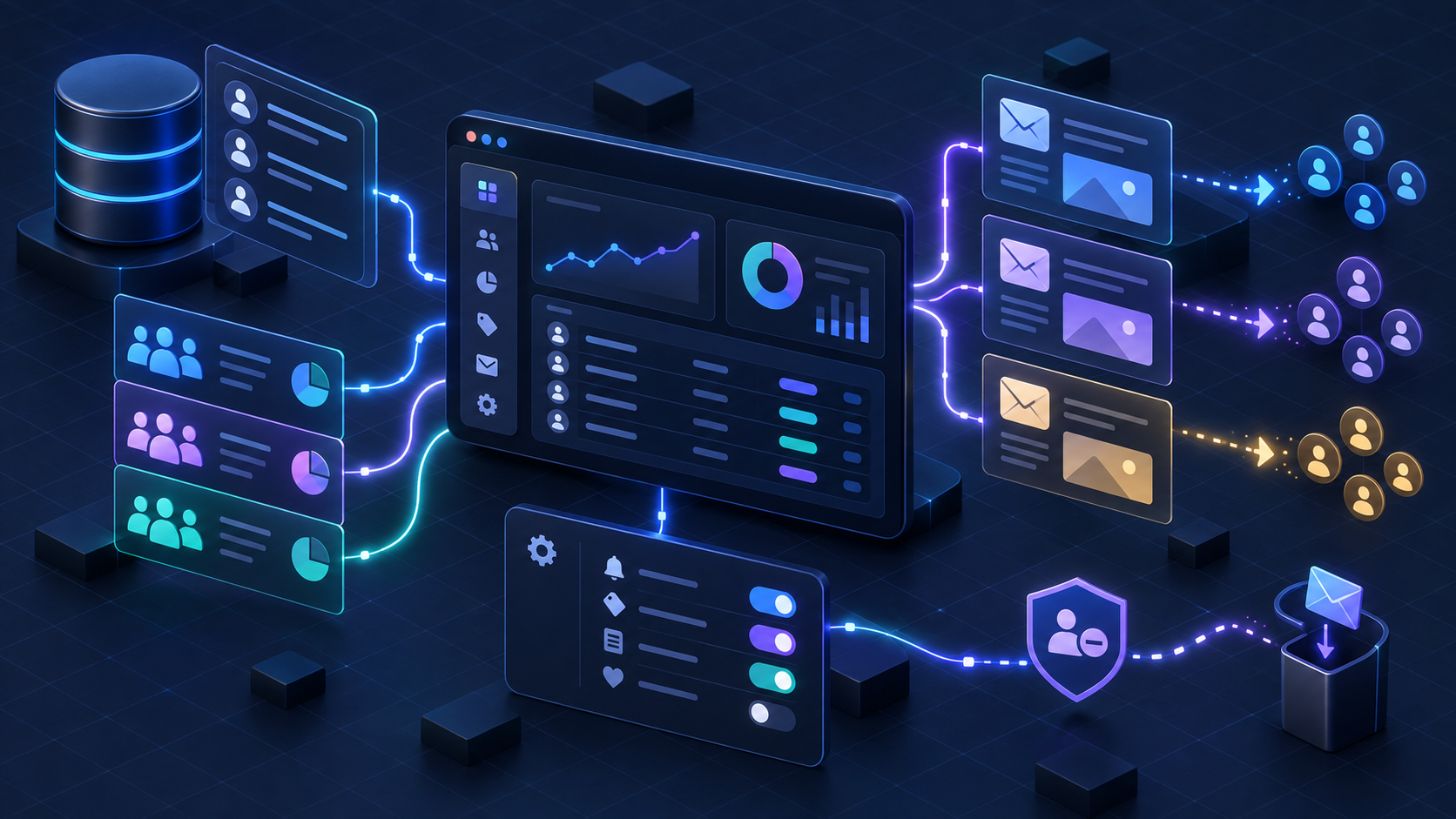
Resend can do more than deliver password resets. Its current marketing model gives a Next.js application a programmable contact directory, internal audience segments, user-facing preference topics, and broadcasts that can be drafted, scheduled, personalized, and unsubscribed from. The API calls are straightforward. The difficult part is deciding which system owns consent and keeping every copy of that decision synchronized.
A production implementation should not treat a newsletter checkbox as a direct call from a browser to an email vendor. It should record what the person agreed to, persist that decision in the application, project the contact into Resend on the server, and consume delivery events back into the application. That gives you an auditable system instead of a collection of dashboard settings.
Your application owns consent and business identity. Resend owns contact delivery state, audience execution, and the hosted unsubscribe experience. Synchronize the two deliberately.
First separate transactional and marketing email
Classify the message before choosing an endpoint. Transactional email is required by a user action or account state: password resets, receipts, security alerts, and similar one-to-one messages. Marketing email includes newsletters, promotions, product announcements, and most nurture messages. A user may need the first category even when they decline the second.
In Resend, transactional messages normally use the Email API or Batch API. Marketing messages use Broadcasts or the visual editor. This separation is not cosmetic. Marketing messages need consent, preference controls, unsubscribe behavior, and list hygiene that a password reset should not inherit.
Password reset         -> transactional -> Email API
Order receipt          -> transactional -> Email API
Security alert         -> transactional -> Email API

Weekly newsletter      -> marketing     -> Broadcast
Product announcement   -> marketing     -> Broadcast
Abandoned cart reminder-> marketing -> Broadcast or AutomationCalling a promotional message “account information” does not change its purpose. Keep the classification explicit and have counsel review the rules that apply to your recipients and regions.
Understand the current Resend audience model
Older tutorials describe Resend Audiences as separate lists. The current model uses global Contacts. One email address represents one Contact, and that Contact can belong to multiple Segments while holding separate Topic preferences. That distinction prevents duplicate contact records from becoming your preference system.
Contacts are people Resend can address
A Contact is keyed by an email address and can carry properties such as first name, plan, locale, or company. Properties are useful for personalization, but they should not become an ungoverned mirror of your customer database. Send only fields that the email workflow needs.
Segments answer who should receive the campaign
Segments are internal groups controlled by your team. Examples include active customers, free-trial users, conference leads, or accounts in a particular region. Recipients do not see segment names. Segment membership represents sender targeting, not subscriber consent.
Topics answer what the subscriber agreed to receive
Topics are preference categories such as Weekly Newsletter, Product Updates, or Events. They are visible to recipients on the preference page when configured as public. A Topic is not another audience filter: it is the contract that lets a person decline one class of marketing without leaving every other class.
Contact  = the address and personalization properties
Segment  = who your team wants to target
Topic    = what kind of message the recipient accepts
Broadcast= the campaign sent to a Segment with unsubscribe handling
Use your application database as the consent ledger
Resend should enforce the current delivery preference, but your database should preserve how that preference was obtained. Store the normalized email, topic, status, timestamp, source, form version, policy version, and enough request metadata to investigate abuse. Do not store more identifying data than your retention policy requires.
create table marketing_consent_events (
  id uuid primary key,
  user_id uuid,
  email_normalized text not null,
  topic_key text not null,
  status text not null check (status in ('opt_in', 'opt_out')),
  source text not null,
  form_version text,
  policy_version text,
  occurred_at timestamptz not null default now()
);

create index marketing_consent_email_topic_idx
  on marketing_consent_events (email_normalized, topic_key, occurred_at desc);
An append-only ledger answers questions a mutable subscribed boolean cannot: which form collected consent, what it said at the time, whether an import overrode an unsubscribe, and why a contact appeared in a segment. Keep a current-state table or materialized view for fast reads, but retain the events behind it.
Configure Resend for production
Create a sending subdomain such as updates.example.com or news.example.com and add the SPF and DKIM records Resend provides. A subdomain isolates marketing reputation from other mail streams. Add DMARC after verifying all legitimate senders, beginning with monitoring before moving to a stricter policy.
RESEND_API_KEY=re_xxxxxxxxx
RESEND_WEBHOOK_SECRET=whsec_xxxxxxxxx
RESEND_MARKETING_FROM="Example Updates <updates@news.example.com>"
RESEND_NEWSLETTER_SEGMENT_ID=00000000-0000-0000-0000-000000000000
RESEND_NEWSLETTER_TOPIC_ID=00000000-0000-0000-0000-000000000000
Keep the API key and webhook signing secret server-only. Never prefix them with NEXT_PUBLIC_. Use separate keys for environments, scope access where the account supports it, and rotate a key when it appears in logs, client bundles, screenshots, or copied examples.
import 'server-only'
import { Resend } from 'resend'

const apiKey = process.env.RESEND_API_KEY

if (!apiKey) {
  throw new Error('RESEND_API_KEY is not configured')
}

export const resend = new Resend(apiKey)
Create stable Segments and Topics
Provision Segments and Topics as configuration, then save their immutable IDs in your deployment secrets or application configuration. Do not look them up by a display name on every signup. Names can change and concurrent setup code can create confusing duplicates.
import { Resend } from 'resend'

const resend = new Resend(process.env.RESEND_API_KEY!)

const segment = await resend.segments.create({
  name: 'Newsletter subscribers',
})

const topic = await resend.topics.create({
  name: 'Weekly Newsletter',
  description: 'One practical engineering guide each week',
  defaultSubscription: 'opt_out',
})

if (segment.error || topic.error) {
  throw new Error('Could not provision Resend marketing resources')
}

console.log({
  segmentId: segment.data?.id,
  topicId: topic.data?.id,
})
Choose a Topic default carefully because Resend does not let you change that default after creation. For a newsletter checkbox that requires affirmative consent, an opt-out default is the safer technical expression: the Contact does not receive that Topic until your application records an explicit opt-in.
Build the signup flow as a server-side operation
The browser should submit an email address and an explicit consent value to your Next.js server. The server validates the request, normalizes the address, applies rate limits and abuse controls, records the consent event, and queues a synchronization job. It should not expose Resend credentials or let a caller choose arbitrary Segment IDs.
import { NextResponse } from 'next/server'
import { z } from 'zod'
import { db } from '@/lib/db'

const Signup = z.object({
  email: z.string().trim().email().max(320),
  firstName: z.string().trim().max(80).optional(),
  consent: z.literal(true),
})

export async function POST(request: Request) {
  const parsed = Signup.safeParse(await request.json())

  if (!parsed.success) {
    return NextResponse.json({ error: 'Invalid signup' }, { status: 400 })
  }

  const email = parsed.data.email.toLowerCase()

  await db.transaction(async (tx) => {
    await tx.marketingConsentEvents.insert({
      email,
      topicKey: 'weekly-newsletter',
      status: 'opt_in',
      source: 'website-footer',
      formVersion: '2026-09',
      occurredAt: new Date(),
    })

    await tx.outbox.insert({
      type: 'resend.contact.sync',
      key: 'weekly-newsletter:' + email,
      payload: { email, firstName: parsed.data.firstName },
    })
  })

  return NextResponse.json({ accepted: true }, { status: 202 })
}
Returning 202 after the durable local transaction keeps a temporary Resend outage from losing consent or slowing the signup form. A worker can retry the outbox item with backoff, and the user can receive a confirmation only after the provider projection succeeds.
Project the Contact into Resend
Resend Contacts are global for a team, so synchronize by normalized email. Create the Contact with only necessary properties, add it to the intended Segment, and set the Topic subscription from the latest consent state. Treat an already-existing Contact as an update path, not as an application error.
import { resend } from '@/lib/resend'

const segmentId = process.env.RESEND_NEWSLETTER_SEGMENT_ID!
const topicId = process.env.RESEND_NEWSLETTER_TOPIC_ID!

export async function syncNewsletterContact(input: {
  email: string
  firstName?: string
}) {
  const created = await resend.contacts.create({
    email: input.email,
    firstName: input.firstName,
    unsubscribed: false,
    segments: [{ id: segmentId }],
    topics: [{ id: topicId, subscription: 'opt_in' }],
  })

  if (!created.error) return created.data

  const updated = await resend.contacts.update({
    email: input.email,
    unsubscribed: false,
    properties: input.firstName
      ? { first_name: input.firstName }
      : undefined,
  })

  if (updated.error) throw updated.error

  const membership = await resend.contacts.segments.add({
    email: input.email,
    segmentId,
  })

  const topics = await resend.contacts.topics.update({
    email: input.email,
    topics: [{ id: topicId, subscription: 'opt_in' }],
  })

  if (membership.error) throw membership.error
  if (topics.error) throw topics.error

  return updated.data
}Before setting unsubscribed to false, verify that the newest consent event is an explicit resubscription collected after the global unsubscribe. An import or profile update is not permission.
Create Broadcasts as drafts first
A Broadcast targets a Segment and can use Contact properties for personalization. Start by creating a draft. Review the rendered message, audience size, sender, links, plain-text output, and Topic before anybody turns on immediate sending. The API supports creating and sending in one request, but production workflows benefit from a human checkpoint.
import { resend } from '@/lib/resend'

const result = await resend.broadcasts.create({
  segmentId: process.env.RESEND_NEWSLETTER_SEGMENT_ID!,
  name: 'Engineering fieldnotes — September 13',
  from: process.env.RESEND_MARKETING_FROM!,
  subject: 'The production checks most email tutorials skip',
  html: [
    '<p>Hi {{{contact.first_name|there}}},</p>',
    '<p>This week: make email retries safe and observable.</p>',
    '<p><a href="https://example.com/guides/email-retries">Read the guide</a></p>',
    '<p><a href="{{{RESEND_UNSUBSCRIBE_URL}}}">Manage email preferences</a></p>',
  ].join(''),
})

if (result.error) throw result.error

console.log('Draft broadcast:', result.data?.id)
Resend replaces the unsubscribe placeholder with a unique URL for each Contact. Add a Topic to the Broadcast in the dashboard or through the supported control in your account before sending. The current public create-Broadcast API reference centers on Segment targeting, so do not invent an undocumented Topic field in your integration.
If you send a Broadcast without a Topic, a recipient who unsubscribes may leave all Broadcast email instead of only the intended category. Make “Topic selected” a release checklist item, not an optional editorial detail.
[ ] Correct Segment selected
[ ] Correct Topic attached
[ ] Suppression and global unsubscribe counts reviewed
[ ] Sender subdomain verified
[ ] Subject, preview text, links, and plain text reviewed
[ ] Unsubscribe link works in a real test message
[ ] Test delivered to Gmail, Outlook, and one mobile client
[ ] Campaign owner approved the final audience count
[ ] Scheduled time and timezone confirmed
Keep unsubscribe flows one-way safe
Resend Broadcasts can host the unsubscribe and preference experience. When a Contact declines a Topic, do not let a nightly customer sync turn it back on. Provider-to-application preference events should win until a later explicit opt-in is recorded by the subscriber.
Model global unsubscribe separately from Topic preference. Global unsubscribe blocks every Broadcast. A Topic opt-out blocks only that content class. A person may decline product announcements and keep a weekly engineering digest; flattening both decisions into one boolean destroys that choice.
1. Explicit global unsubscribe -> block every marketing send
2. Explicit Topic opt-out      -> block that Topic
3. Later explicit Topic opt-in -> allow that Topic if not globally unsubscribed
4. Segment membership change   -> changes targeting, never consent
5. Profile or CRM import       -> never reactivates consent by itself
If you provide your own preference center, read the current Topic state from the server and write changes to the local consent ledger before updating Resend. Keep the Resend-hosted link active in every Broadcast even when your application offers a richer account page.
Verify and deduplicate Resend webhooks
Use webhooks to close the loop for contact changes, bounces, complaints, and delivery failures. Verify the signature against the raw request body before parsing or acting. A public endpoint that trusts arbitrary JSON lets an attacker unsubscribe users, poison analytics, or trigger operational workflows.
import { NextResponse } from 'next/server'
import { resend } from '@/lib/resend'
import { db } from '@/lib/db'

export async function POST(request: Request) {
  const payload = await request.text()
  const svixId = request.headers.get('svix-id')
  const timestamp = request.headers.get('svix-timestamp')
  const signature = request.headers.get('svix-signature')

  if (!svixId || !timestamp || !signature) {
    return new NextResponse('Missing signature', { status: 400 })
  }

  let event
  try {
    event = resend.webhooks.verify({
      payload,
      headers: { id: svixId, timestamp, signature },
      webhookSecret: process.env.RESEND_WEBHOOK_SECRET!,
    })
  } catch {
    return new NextResponse('Invalid signature', { status: 400 })
  }

  const inserted = await db.resendWebhookEvents.insertIfAbsent({
    svixId,
    type: event.type,
    occurredAt: new Date(event.created_at),
    payload: event,
  })

  if (!inserted) return NextResponse.json({ duplicate: true })

  await db.outbox.insert({
    type: 'resend.webhook.process',
    key: svixId,
    payload: { svixId },
  })

  return NextResponse.json({ received: true })
}
Resend provides at-least-once webhook delivery, so duplicates are possible. Delivery order is not guaranteed either. Store the svix-id as the idempotency key and compare event created_at values before allowing an older event to overwrite newer delivery or preference state.
Return a successful response only after the durable event record exists. If the endpoint times out after storing the event, Resend may retry and your unique constraint will make the retry harmless. If processing is slow, move it to a queue instead of holding the webhook connection open.
Handle bounces and complaints as product data
A permanent bounce means the address should leave active marketing workflows. A complaint means the recipient marked the message as spam and must not be treated as an engagement opportunity. Record both outcomes locally, stop future sends, and surface aggregate rates to the team responsible for acquisition and content.
email.bounced
  -> record bounce type and diagnostic information
  -> mark address undeliverable
  -> stop marketing synchronization retries

email.complained
  -> record complaint
  -> mark address globally blocked for marketing
  -> alert when campaign complaint rate crosses threshold

email.failed
  -> classify configuration, quota, or recipient failure
  -> retry only failures that are actually transient

contact.updated
  -> reconcile global and Topic preference changes
  -> preserve event time and source
Do not remove an address from suppression simply to make a campaign count larger. Investigate why it was suppressed and require a legitimate reason before attempting another send. Repeated delivery to bad or unwilling recipients harms reputation for the entire sending stream.
Design synchronization for failure
Every network boundary will eventually fail. A database write may succeed while the Resend call times out. Resend may accept a request while your worker loses the response. A webhook may be delivered twice or arrive after a newer state. The architecture should make each case replayable without silently changing consent.
Browser signup
  -> validate and rate-limit on the Next.js server
  -> write consent event + outbox item in one database transaction
  -> worker projects Contact, Segment, and Topic state to Resend
  -> Broadcast targets Segment and respects Topic preference
  -> signed webhook is stored with unique svix-id
  -> worker updates local delivery and preference state
  -> reconciliation job detects and repairs drift
Run a scheduled reconciliation that samples or pages through Contacts and compares them with your current-state view. Report mismatches before fixing them automatically. Unexpected global reactivations, missing Topic opt-outs, or Contacts in the wrong Segment deserve investigation because they may reveal a logic error rather than ordinary drift.
Protect the signup endpoint
Newsletter forms attract bots because each accepted address can trigger downstream work. Apply per-IP and per-address rate limits, use a hidden honeypot or challenge when abuse rises, and avoid responses that reveal whether an address already exists. Consider double opt-in when the risk of forged or mistyped addresses outweighs the extra step.
Double opt-in should create a pending consent record, send a time-limited confirmation link, and activate the Topic only after the link is redeemed. Bind the token to the normalized email and intended Topic, store a one-way token digest, and make confirmation idempotent.
submitted -> pending confirmation
pending   -> confirmation email sent
confirmed -> append opt_in consent event
confirmed -> queue Resend Contact synchronization
expired   -> require a new signup
opted_out -> invalidate outstanding confirmation tokens
Measure the system, not only opens
Track accepted signups, confirmed opt-ins, synchronization lag, contact-sync failures, active subscribers by Topic, global unsubscribes, Topic opt-outs, permanent bounce rate, complaint rate, and webhook backlog. Open tracking is increasingly noisy and privacy-sensitive, so do not let it become the main health metric.
Watch metrics by acquisition source and campaign. A form that generates many addresses but also produces high bounce or complaint rates is not performing well. Keep operational alerts separate from editorial dashboards so an unhealthy webhook queue cannot hide behind a successful campaign chart.
Production checklist
[ ] Transactional and marketing sends use separate code paths
[ ] Sending subdomain has verified SPF and DKIM
[ ] DMARC rollout and reporting are documented
[ ] API keys and webhook secrets are server-only
[ ] Consent copy is explicit and the checkbox is not preselected
[ ] Consent events retain source, time, and policy version
[ ] Segments represent targeting; Topics represent preferences
[ ] Global unsubscribe and Topic opt-out are separate states
[ ] Contact synchronization is queued and replayable
[ ] Broadcasts include the Resend unsubscribe URL
[ ] Every Broadcast is reviewed with the intended Topic
[ ] Webhooks verify the raw body signature
[ ] svix-id has a unique database constraint
[ ] Older webhook events cannot overwrite newer state
[ ] Bounces and complaints stop future marketing sends
[ ] A reconciliation job reports provider drift
[ ] Retention, deletion, and regional compliance have owners
The implementation principle
Resend gives developers clean primitives for running email marketing from a Next.js application. Contacts hold addresses and properties. Segments express the audience your team wants. Topics preserve the categories recipients accept. Broadcasts execute campaigns and provide the unsubscribe path. Webhooks return the result to your system.
The reliable architecture is built around those primitives, not inside them: an explicit message classification, an auditable consent ledger, server-only synchronization, signed and deduplicated webhooks, and a reconciliation loop. Build that control plane first and Resend becomes a dependable delivery component instead of the only place your application remembers what a subscriber chose.
Segments answer who you want to reach. Topics answer what the recipient permits. Your database records why. Never let one of those responsibilities impersonate another.