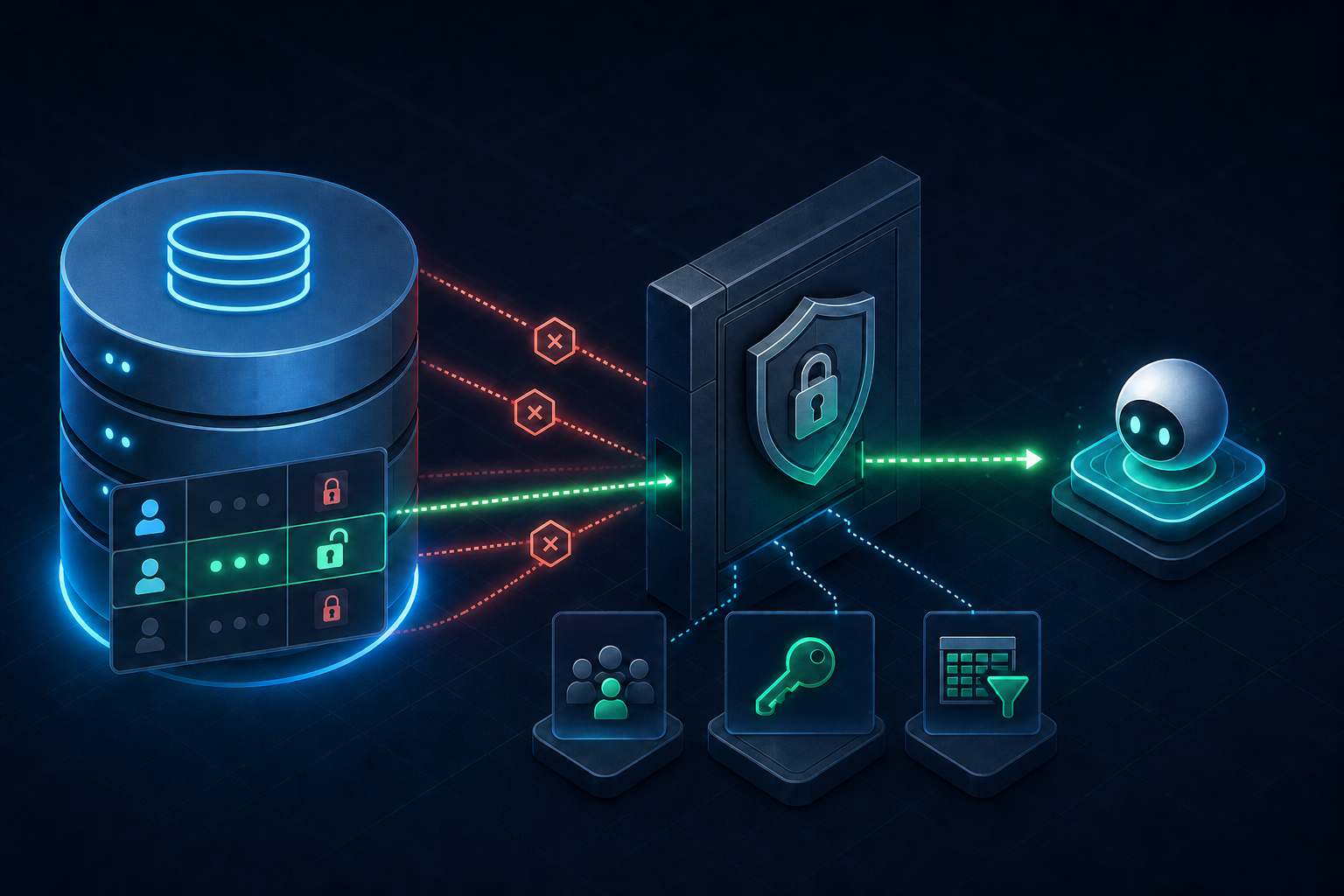
An AI agent should connect to PostgreSQL like an untrusted application component, not like a database administrator. Prompts can be ambiguous, tool calls can be repeated, and model-generated filters can be much broader than a human expected. The database credential must remain safe when the request is wrong.
The practical goal is not a role that can do everything after the model asks politely. It is a login that can reach one database, use one schema, perform a short list of operations on approved columns, see only permitted rows, and consume bounded resources. Every capability should be visible in SQL and testable without relying on the prompt.
Create a dedicated PostgreSQL login for the agent runtime. Do not reuse an application owner, migration role, Supabase service role, personal developer account, or schema-discovery credential.
Start with a role that has no administrative escape hatches
PostgreSQL roles can carry attributes that bypass ordinary object permissions. A runtime agent does not need superuser access, database or role creation, replication, or the ability to bypass Row Level Security. State those exclusions explicitly so the intended boundary is easy to audit.
create role agent_runtime
  login
  password 'replace-with-a-generated-secret'
  nosuperuser
  nocreatedb
  nocreaterole
  noinherit
  noreplication
  nobypassrls
  connection limit 5;
Only roles with LOGIN can open a connection. NOINHERIT prevents the login from automatically collecting privileges from roles it belongs to, but membership still needs careful review: a membership granted with SET can allow the session to assume another role explicitly. The simplest first deployment is a standalone login with direct grants and no memberships.
Audit role memberships as well as role attributes. A login may be able to use SET ROLE even when it does not inherit the target role by default.
Grant the connection path one layer at a time
A database connection does not imply access to every object. PostgreSQL checks privileges at several layers: the database, schema, table, sequence, function, and sometimes individual columns. Grant only the layers the runtime actually needs.
grant connect on database app_database to agent_runtime;
grant usage on schema agent_api to agent_runtime;

-- Do not let the runtime create objects in the exposed schema.
revoke create on schema agent_api from agent_runtime;
USAGE on a schema permits object lookup; it does not grant access to the tables inside it. CREATE is different: it would let the role place new objects into the namespace. Keep migrations and ownership on a separate non-runtime role.
Avoid broad cleanup commands copied from hardening checklists without understanding their blast radius. For example, revoking CONNECT from PUBLIC changes access for every role that relies on the database default. That can be appropriate in a newly designed database, but it is a database-wide decision, not a requirement for one agent account.
Prefer column grants over whole-table grants
A table-level SELECT grant exposes every current column and every column added later. Column-level privileges make sensitive and future fields fail closed. This is valuable for tables that mix operational fields with secrets, internal notes, payment identifiers, or personal data.
grant select (id, tenant_id, display_name, status, created_at)
  on agent_api.customers
  to agent_runtime;

grant insert (tenant_id, display_name)
  on agent_api.customers
  to agent_runtime;

grant update (display_name, status)
  on agent_api.customers
  to agent_runtime;
An UPDATE usually also needs SELECT on columns used by its predicate or expression. DELETE likewise tends to require SELECT for the WHERE clause. Grant the minimum set that makes the exact repository query work, then verify that reading excluded columns still fails.
Remember sequences and functions
If inserts call a sequence directly, the role may need USAGE on that sequence. If the table uses an identity column, test the actual insert rather than granting every sequence in the schema. Functions have their own EXECUTE privilege, and PostgreSQL grants EXECUTE on new functions to PUBLIC by default unless default privileges are changed.
grant usage on sequence agent_api.customers_id_seq
  to agent_runtime;

revoke execute on function agent_api.internal_rebuild_cache()
  from public;
Use Row Level Security for row scope
Column grants answer which fields the agent may use. Row Level Security answers which records it may see or change. Once RLS is enabled, normal access must be allowed by a policy; if no applicable policy exists, PostgreSQL uses default deny.
alter table agent_api.customers enable row level security;
alter table agent_api.customers force row level security;

create policy agent_customer_scope
  on agent_api.customers
  for select
  to agent_runtime
  using (tenant_id = current_setting('app.tenant_id')::uuid);

create policy agent_customer_insert
  on agent_api.customers
  for insert
  to agent_runtime
  with check (tenant_id = current_setting('app.tenant_id')::uuid);
FORCE ROW LEVEL SECURITY makes the table owner subject to policies in ordinary operation; superusers and roles with BYPASSRLS still bypass them. The runtime role should be neither an owner nor a bypass role.
If the runtime can execute arbitrary SQL, it can usually change a user-settable custom setting such as app.tenant_id. Derive tenant context through a trusted connection path or expose only fixed application tools that set context after authenticating the request.
Policies should be tested for SELECT, INSERT, UPDATE, and DELETE separately. USING controls which existing rows are visible or targetable. WITH CHECK controls which new row values may be created by INSERT or produced by UPDATE.
Bound what one session can consume
Least privilege includes resource use. A read-only role can still run an expensive join, wait on a lock, open too many connections, or leave a transaction idle. Role-specific session defaults put predictable ceilings beneath application-level timeouts.
alter role agent_runtime in database app_database
  set statement_timeout = '10s';

alter role agent_runtime in database app_database
  set lock_timeout = '2s';

alter role agent_runtime in database app_database
  set idle_in_transaction_session_timeout = '15s';

alter role agent_runtime in database app_database
  set search_path = pg_catalog, agent_api;
Role-specific settings apply when the role logs in. They are not re-applied merely because another session runs SET ROLE. Connect directly as the runtime login during verification. Fully qualify application identifiers even with a restricted search_path; the setting is a defense-in-depth measure, not a substitute for explicit SQL.
Make future objects fail closed
A secure grant script can drift the moment a migration creates a new table or function. ALTER DEFAULT PRIVILEGES changes the initial privileges of future objects, but only for objects created by the specified creator role. Run it for the role that actually owns migrations.
alter default privileges
  for role app_migrator
  in schema agent_api
  revoke all on tables from agent_runtime;

alter default privileges
  for role app_migrator
  in schema agent_api
  revoke execute on functions from public;
Do not grant the runtime automatic access to all future tables as a convenience. Add each new object to the reviewed grant script when its agent-facing use case is approved. Default privileges are not retroactive, so audit existing objects separately.
Verify permissions from inside the restricted login
A privilege model is incomplete until forbidden operations have been attempted. Connect with the same URL the agent process uses, assert the session identity, inspect effective privileges, and run negative queries. Testing as an owner or through an administrative SQL console does not exercise the runtime boundary.
select session_user, current_user;

select has_database_privilege(
  current_user, 'app_database', 'connect'
);

select has_table_privilege(
  current_user, 'agent_api.customers', 'select'
);

select has_column_privilege(
  current_user, 'agent_api.customers', 'display_name', 'update'
);

select has_column_privilege(
  current_user, 'agent_api.customers', 'private_notes', 'select'
); -- must be false

select * from agent_api.customers limit 1; -- should fail if * reaches hidden columns
select private_notes from agent_api.customers; -- must fail
drop table agent_api.customers; -- must fail
create table agent_api.scratch(id integer); -- must fail
Keep these checks in an integration test against a disposable database. Test an allowed row and a row from another tenant. Test permitted and forbidden columns. Test that statement timeout and connection limits behave as expected. When a migration changes the schema, rerun the permission suite before deploying the agent.
A production role checklist
[ ] Dedicated LOGIN used only by the agent runtime
[ ] No SUPERUSER, CREATEDB, CREATEROLE, REPLICATION, or BYPASSRLS
[ ] No unreviewed memberships or SET ROLE path
[ ] CONNECT granted only to the intended database
[ ] USAGE granted only to intended schemas
[ ] No ownership or CREATE on application schemas
[ ] Column-level grants where tables contain sensitive fields
[ ] Sequence and function privileges reviewed separately
[ ] RLS enabled and tested for every operation in scope
[ ] Statement, lock, transaction-idle, and connection limits set
[ ] Default privileges configured for the real migration owner
[ ] Allowed and forbidden queries tested through the runtime credential
[ ] Credential stored, rotated, and logged independently from admin accounts
Connect the role to a narrow agent tool surface
Database permissions are the final enforcement layer, not the whole interface. An agent should still receive small tools with strict inputs, parameterized queries, fixed identifiers, deterministic ordering, and hard result limits. The PostgreSQL role protects the database when application validation fails; the application tools keep unsafe requests from reaching that boundary in the first place.
For the application side of this design, continue with How to Build a Safe PostgreSQL MCP Server Without Exposing Arbitrary SQL. It shows how to turn a reviewed schema into typed MCP tools instead of giving the model a generic SQL console.
The durable rule is simple: prompts express intent, application tools constrain actions, and PostgreSQL permissions enforce authority. When each layer assumes the layer above can be wrong, an AI agent can be useful without becoming an accidental database administrator.